Meetings end. The work doesn't.
Jurnie captures every conversation, online and in person, then connects what was said across all of them. It drafts the follow-ups and updates your systems, ready to approve with one click.
- No bots required
- Works with HubSpot, Jira and Google


Acme Corp · quarterly review
Summary
- now owns pricing and the renewal at .
- Acme wants hybrid pricing from Q3. A proposal is due by June 25.
- The moves to August, led by .
What Jurnie remembers
Johanna Berg
PersonCommercial lead at Acme Corp. Took over the account in June and owns pricing and the renewal.
6 meetings · Last touched 2 days ago
Since your last meeting
- Asked for the pricing proposal by Friday.
- Wants the renewal signed before the migration starts.
Call with Marcus Holm · 2 days ago
Point at any name in the summary for more.
- Read the meeting
- Checked Acme Corp in HubSpot
- Prepared 3 updates
Nothing changes until you approve.
Update deal · HubSpot
Stage: Proposal → Negotiation

New issue · Jira
Plan the Nordisk migration for August · Marcus Holm

Save the recap · Google Drive
Quarterly review recap, to Clients / Acme Corp
Works seamlessly with all meeting platforms


How Jurnie works
From conversation to what happens next, in three steps.
- Capture
Every conversation, online and in person
The desktop app captures Zoom, Teams, Meet and any other call from your computer's audio, with no bot joining. The mobile app captures client visits and meetings in the room.
See in-person capture - Remember
Everything connects
Jurnie links what was said to everything your team discussed before, so every client, person and project has one record that fills in over time.
See what Jurnie remembers - Act
The follow-up gets done
Agents draft the follow-up email, the CRM update and the Jira issue. Nothing changes in your tools until you approve.
See the agents
Know every client like they're your only one.
Jurnie collects what is said about a client across every conversation, so the picture gets better the longer you work with them. You walk into each conversation already knowing where you left off.
Before the call
See who you're meeting, every conversation you've had with them, and where you left off, without opening a single old note.
Today, 14:00
Acme Corp · renewal check-in
Pre-meeting brief
You last spoke with on August 2, about the new timeline for the . Pricing has come up in most of your recent calls, and Acme's procurement team wants to know where their data is stored.
Commercial lead at Acme. Owns pricing and the renewal.
Last met Aug 2 · phone call
Former main contact, now on the operations side of the migration.
Last met Jun 18 · quarterly review
e.lindqvist@acme.example
No memory yet
Over time
Every conversation adds to the picture. Month twelve is more useful than month one, which is not true of a folder filling up with notes.
Acme Corp
CompanyAug 2
confirmed the renewal is on track. Pricing is the open question.
Jun 18
Acme wants hybrid pricing from Q3. takes over the account.
May 20
The warehouse team is ready for the Nordisk platform in August.
Apr 3
Procurement asked where Acme's data is stored and processed.
Mar 12
introduced the , starting in January.
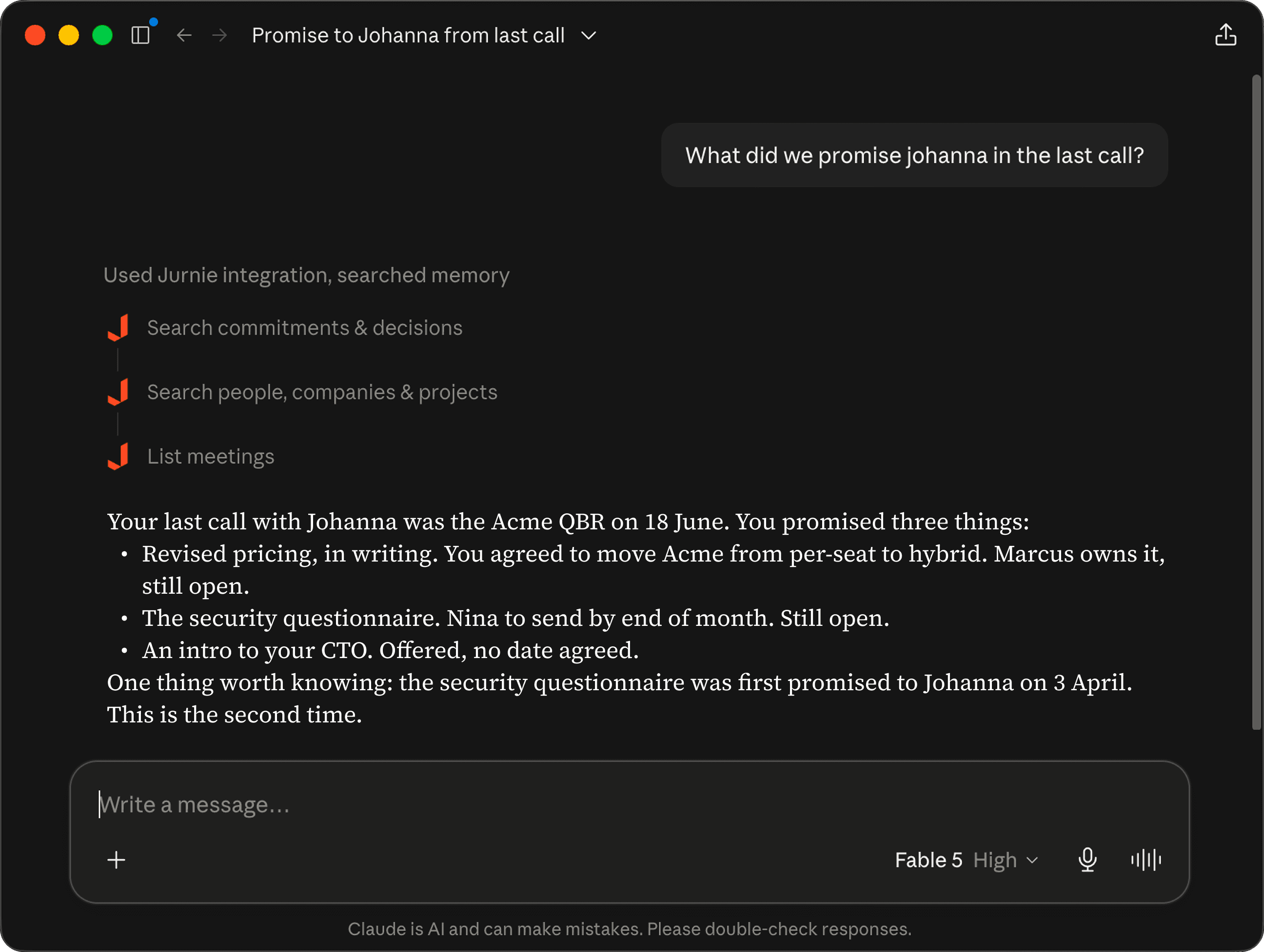
Your team's memory, inside Claude.
Add Jurnie as a connector and Claude can search everything your team has discussed directly. No export, no copy-paste. Same for ChatGPT, Claude Code, Codex, Cursor, or the agents your own team builds.
Agents that do the follow-up. Set up in two sentences.
Tell an agent which meetings to run after and what to do, in plain words, or start from one of ours. It runs after every matching meeting, and nothing changes in your tools until you approve.
Start from one of ours
Or write your own, in your own words.
Your meetings
- Acme Corp · renewal call
- Team stand-up
- Sprint planning
- Acme Corp · quarterly review
- All-hands
Agent
Follow-up email drafter
- When it runs
- After calls with a client, prospect or partner that need a written follow-up.
- What it does
- Drafts a follow-up email that recaps the call and the next steps.
What you get
Email draft
Next steps after today's call
- To: Johanna Berg
- Thanks for your time today. Here is what happens next.
Ready in Jurnie
Stop digging through transcripts to find what was said.
Join the teams using Jurnie to turn every conversation into a record your whole team can search, months after the meeting itself.
Start Free TrialNothing you've discussed has to be looked up twice
Capture in-person conversations too
Client visits, coffee catch-ups, interviews. The mobile app captures what happens away from your desk, so it lands in the same record as everything else.
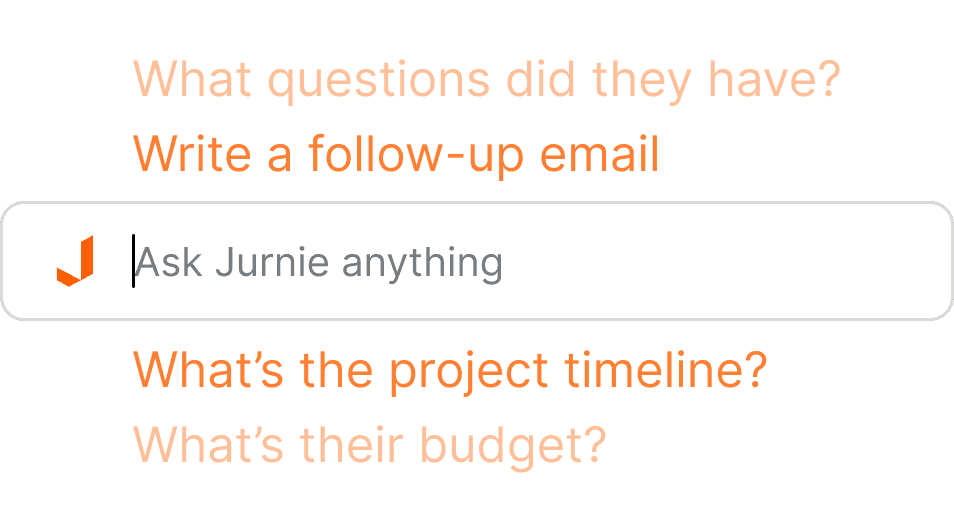
Ask across every conversation
"When did we last speak to Nordisk?" "What have we said about pricing this quarter?" Jurnie answers from everything your team has discussed. Every answer links to the meetings it came from.
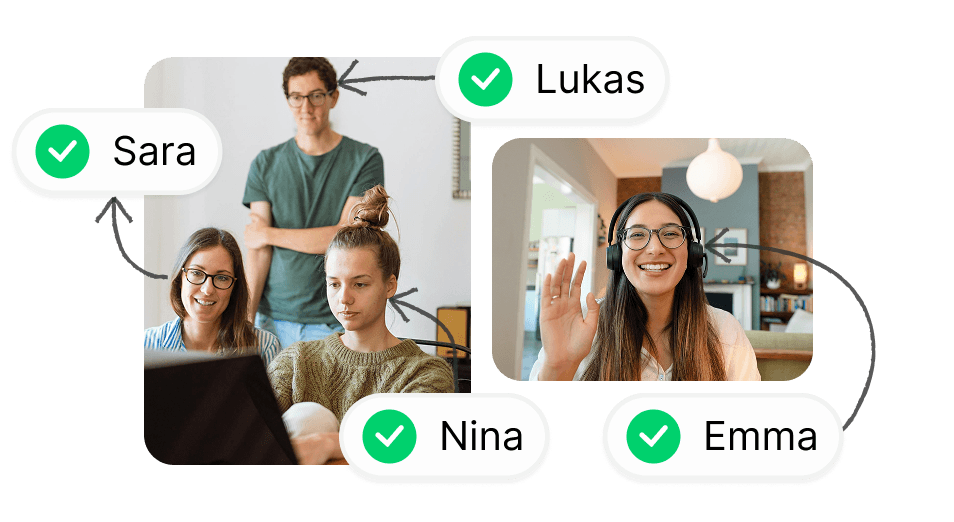
Knows your teammates by voice
Jurnie learns your teammates' voices as you meet, so their names are on what they said in every meeting after, even when several of you share one room.
Security
Someone on your team already uses a notetaker. You just don't know which one.
Jurnie is the one you can approve. Hosted in the EU, never trained on, access controlled from the first seat, with a data processing agreement ready before your legal team asks for it.
- Data Encryption
- We use enterprise-grade encryption (TLS in transit, AES-256 at rest), ensuring your conversations remain confidential and secure.
- No AI Training on Your Data
- Your meeting data is never used to train AI models. We have strict data use policies and require our partners to adhere to the same standards.
- GDPR Compliant
- Built from the ground up with GDPR requirements in mind. Data processing agreements and transparency included.
- Role-Based Access Control
- Permission control ensures team members only access the data they need, maintaining security across your organization.
- EU hosted
- All data is stored and processed in the EU. We comply with the GDPR standards.
- EU AI Act
- We make sure you stay compliant with the EU AI Act when you use Jurnie.
Trusted by teams like yours
See how teams use Jurnie to capture every conversation and turn it into action.
Jurnie has transformed how we handle our sales meetings. It understands the content of our CRM system and effortlessly updates deals field by field after every sales call.
Barney VajdaKnowledge Gate Group
Jurnie keeps things simple and allows us to focus on the meeting instead of taking notes. The custom templates make our summaries exactly how we want them at Krinova, and save us a ton of time.
Massimiliano PattaraKrinova
What I love most about Jurnie is that it works seamlessly without disrupting our meetings. Jurnie takes notes in the background and we can focus on the conversation.
Amanda Wienberg-HansenSecond Foundation
Simple pricing, per seat
Core covers your meetings. Pro adds the memory and agents that do the follow-up.
Core
Free for 14 days, then
€15.83per seat / month, billed annually
Your meetings captured, summarised and searchable for the whole team.
- Capture on desktop, mobile, and meeting bot
- AI summaries, action items, and custom templates
- Sharing, teamspaces, and role-based access control
- Ask Jurnie across all your meetings
- MCP access to your meetings from Claude and ChatGPT
- 100+ languages, EU hosted
Pro
Free for 14 days, then
€32.50per seat / month, billed annually
Memory and agents that do the follow-up for you.
- Everything in Core
- Agents that update your CRM and other tools, with your approval
- Shared team memory, with a page for every client
- Meetings synced to your CRM
Enterprise
Custom
For larger organisations with procurement or deployment requirements.
- Everything in Pro
- Runs on your own servers
- Your own AI provider account and keys
- API access for your own integrations
- Phone call capture and meeting audio playback
- Security review and custom data processing terms
- Volume pricing, dedicated onboarding and priority support
Every 14-day trial includes everything in Pro. No credit card required. Capture and memory are unlimited. Automated agent runs are subject to fair use. See Terms
Frequently asked questions
Have questions about Jurnie? Find answers to the most common questions below.
How is Jurnie different from a meeting notetaker?
Notetakers give you a transcript and a summary of one meeting. Jurnie does that too, then connects it to everything else your team has discussed, so a client or a project has one record instead of forty separate documents. It also drafts the follow-ups and system updates that come next, which you approve with one click.
What does Jurnie remember about my clients?
Jurnie collects what was said about the things that keep coming up in your conversations, and keeps every mention of them together: who was there, when you last spoke, and how the picture has filled in since. You can see it in any summary (names are clickable), ask about it in chat, or query it from Claude or ChatGPT.
Can I use Jurnie from Claude, ChatGPT, Claude Code, Codex or Cursor?
Yes. Add Jurnie as a connector (MCP) and Claude, ChatGPT, Claude Code, Codex, Cursor or the agents your own team builds can search everything your team has discussed. There's nothing to export and nothing to copy and paste.
How does Jurnie work without meeting bots?
Jurnie works with advanced audio processing technology, eliminating the need to invite bots to your meetings. This approach is more private and less disruptive, though Jurnie also supports traditional meeting bots if your organization requires it.
Which meeting platforms does Jurnie support?
Jurnie works with all major meeting platforms including Zoom, Microsoft Teams, Google Meet, Slack, WebEx, and many more. No special setup or bot invitations required.
Can Jurnie capture phone calls?
Yes, on request. It isn't switched on by default: talk to us and we'll set it up for your team.
Is my meeting data secure and private?
Absolutely. We use enterprise-grade encryption, are GDPR compliant, and follow a privacy-first approach.
Does Jurnie use my data to train AI models?
Jurnie doesn't use your data to train AI models. We have strict data use policies and require all our processing partners to adhere to the same standards.
Can I customize summary templates?
Yes! Jurnie offers fully customizable summary templates that you can tailor to your team's specific needs, meeting types, and organizational requirements.
Do I need consent to capture meetings with Jurnie?
Conversation capture laws vary by jurisdiction. Jurnie provides consent notification tools and controls to help you comply with local regulations. You are responsible for ensuring your use of Jurnie complies with the laws applicable to you and your participants.