No articles match “”.
Try fewer or different words.
Browse topics
Rename, merge or correct what Jurnie remembers
Fix a misspelled name, merge two entries for the same person or company, and ask Jurnie to change a type or split an entry in two.
Jurnie builds memory from what was said, so now and then it misspells a name or keeps the same person twice. Corrections apply to your whole organization: everyone who sees that person, company, project or topic sees the change.
Rename a person, company, project or topic
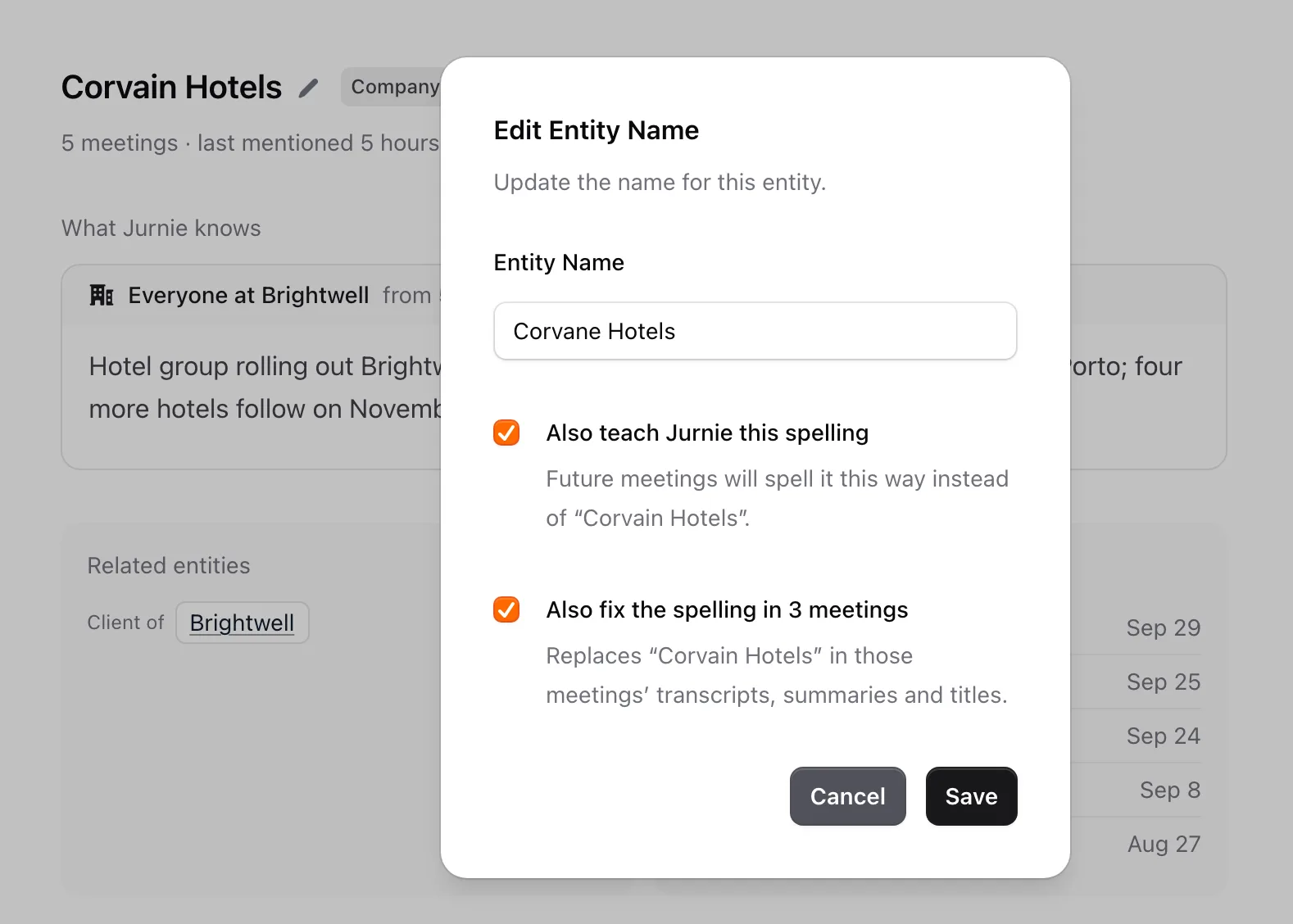
- Open its page and click the name.
- In Edit name, type the right name.
- Choose what else to fix:
- Also teach Jurnie this spelling adds the name to your vocabulary, so future meetings spell it this way. See Teach Jurnie your words.
- Also fix the spelling in 3 meetings (the number varies) appears when the old spelling is still in meetings you can edit. It replaces it in their transcripts, summaries and titles.
- Click Save.
Jurnie ticks both boxes for you when the change looks like a mishearing, and leaves them unticked when you're only adding to a name, such as a surname. Jurnie keeps the old spelling as another name for the same entry, so if a meeting mishears it that way again, Jurnie still knows who it is.
To fix a name in a single meeting instead, see Fix a misheard name.
Merge duplicates
Jurnie offers a merge in two places:
- When you rename something to a name that's already in memory. Instead of renaming, the dialog asks, for example, Peter Kováč already exists in memory. Merge the two?
- Under the header, when Jurnie spots a likely duplicate it says Possible duplicate of followed by the other name, and why. Click Merge, or Dismiss if they're different.
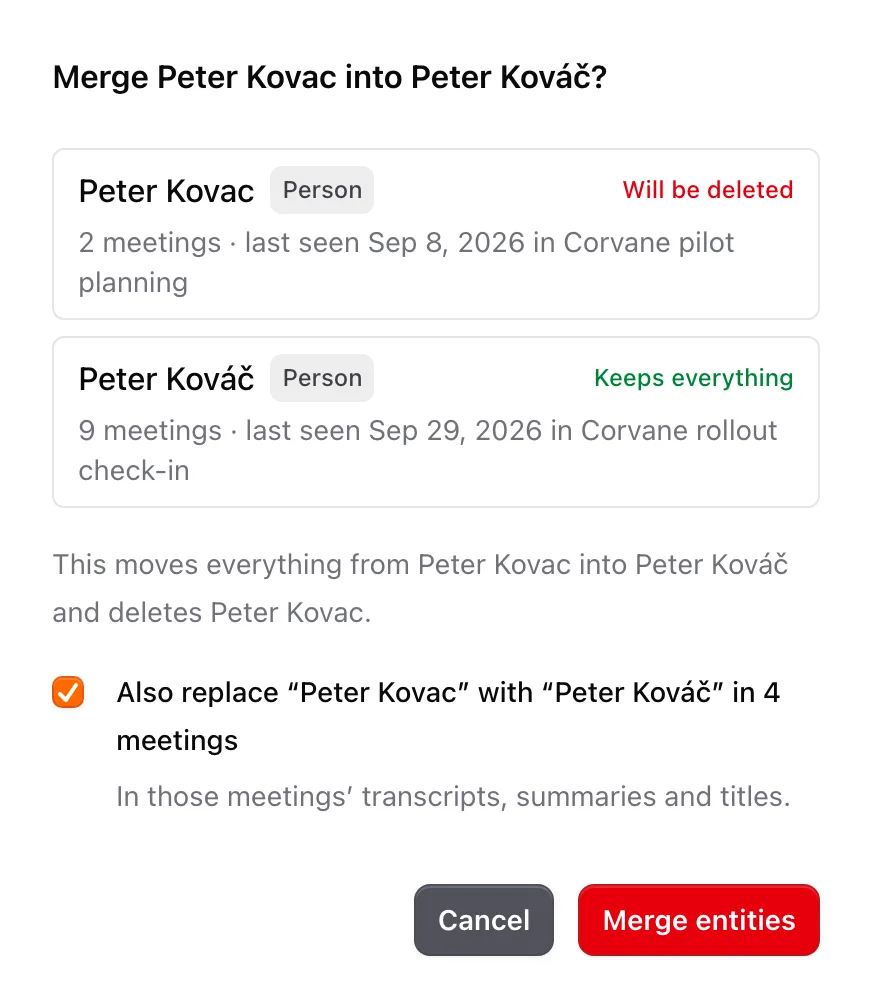
The merge dialog shows both entries with how many meetings mention each and where each was last seen, marked Will be deleted and Keeps everything, so you can check you're keeping the right one. When the two are spelled differently, a box such as Also replace “Peter Kovac” with “Peter Kováč” in 4 meetings changes the old name in those meetings' transcripts, summaries and titles too. Then click Merge.
Note: A merge can't be undone. Everything moves to the entry you keep, and the other one is deleted.
Change a type, split an entry, or merge any two
These go through Ask Jurnie. Ask in the column on its page, so Jurnie knows which entry you mean. It shows a card, and nothing changes until you approve it.
- Change a type: "Corvane Hotels is a company, not a project."
- Merge any two entries: "Merge Peter Kovac into Peter Kováč." On the card you can choose which entry to keep.
- Split an entry that mixes up two people with the same name, or a company and its product. Jurnie asks what tells them apart (a fuller name, a detail like "the Ida at Corvane", or an email address) and suggests which meetings belong to the new entry. You can change the name, type and meetings on the card before approving. A split can't be undone.
Last updated October 3, 2026