No articles match “”.
Try fewer or different words.
Browse topics
Prepare for a meeting
Open a short brief before an upcoming meeting with who's coming, what Jurnie knows about them, and when you last talked.
Before a meeting, Jurnie can show you what it already knows about the people invited. Look for Prepare next to an upcoming meeting on Home.
Open a brief
- Go to Home. Your next meetings are listed under Upcoming meetings. This needs a connected calendar; see Connect your calendar.
- Hover Prepare on a meeting to see what the brief holds, for example "last met Sep 14 · 2 profiles".
- Click Prepare to open the Pre-meeting brief.
Prepare only appears when Jurnie is sure it recognizes at least one person invited. It would rather show nothing than the wrong person's profile.
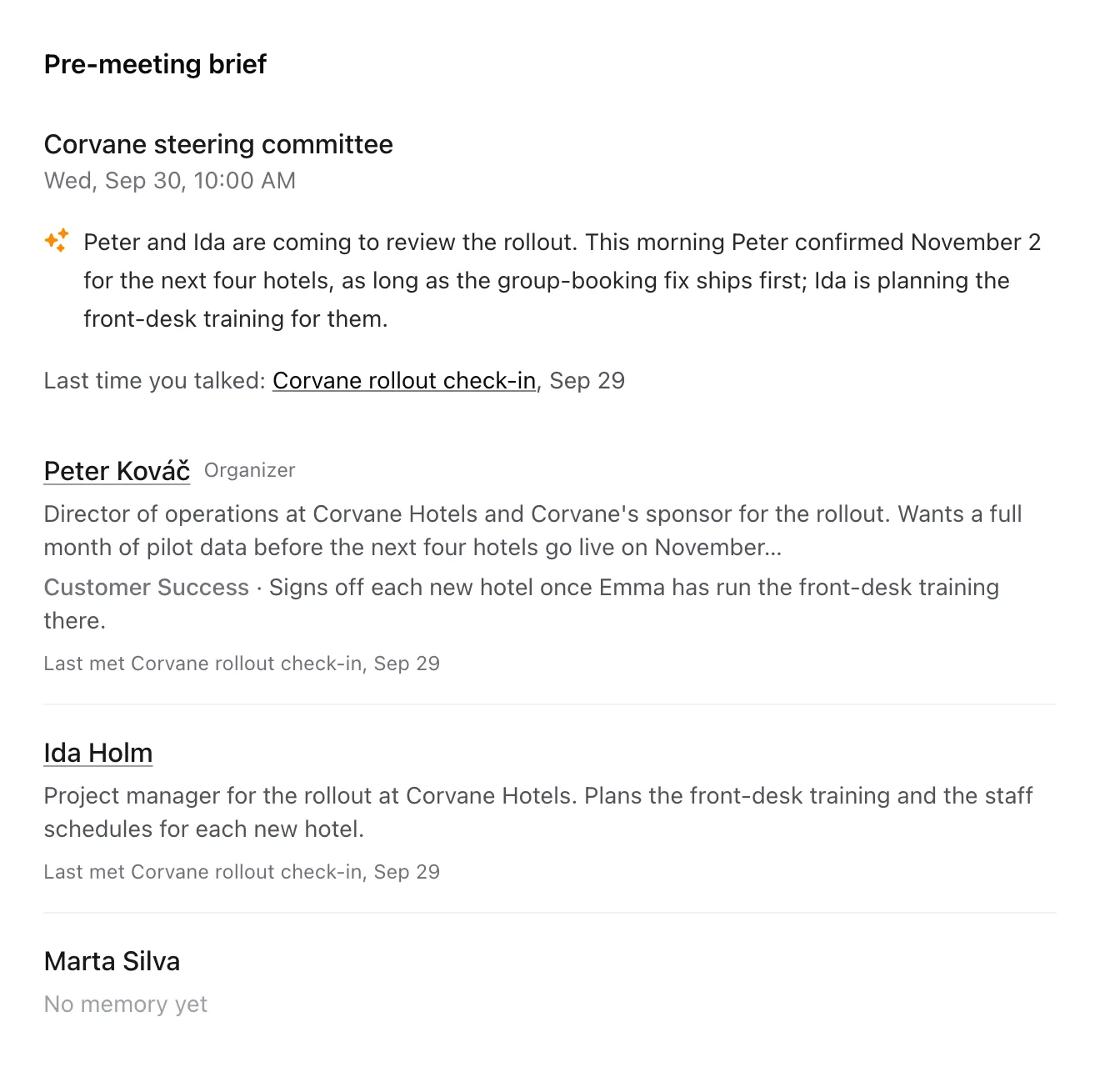
What's in the brief
- The meeting's title and time.
- A short paragraph Jurnie writes from what your meetings say about the people coming and the meeting's topic. It can take a few seconds; until it's ready, a grey placeholder holds its place.
- Last time you talked: the most recent meeting you were in with any of them, linked so you can reread it.
- A section for each person invited, apart from you:
- their name, which opens their page, with Organizer next to the organizer
- a few lines from their profile, and from each of your teamspaces that knows them
- Last met, the last meeting you were both in, or, if you haven't met, Last mentioned in, the last meeting that mentioned them
- No memory yet for people Jurnie hasn't come across in your meetings, so you still see everyone who's coming
Jurnie puts the brief together when you open it, from meetings you can open.
Tip: Click a person's name to open their page, with everything Jurnie knows about them and the meetings about them you weren't in. See Pages for people, companies, projects and topics.
Note: The brief needs memory to be on for your organization and an active subscription. See How Jurnie remembers.
Last updated October 3, 2026