No articles match “”.
Try fewer or different words.
Browse topics
Use Jurnie from Claude, ChatGPT and other AI tools
Connect Claude, ChatGPT, Cursor, Codex or another MCP client to Jurnie so it can read your meetings, summaries and transcripts while you work.
Jurnie's MCP connector lets AI assistants that support MCP (Model Context Protocol), such as Claude, ChatGPT, Cursor and Codex, read your Jurnie meetings. You can then ask them about your meetings in the middle of other work, for example "What did Corvane ask for in last week's check-in?"
The assistant signs in as you and sees only what you can see in Jurnie. It's read-only: it can never change or delete anything.
What a connected assistant can read
- Your meetings, with their summaries and transcripts
- The teamspaces you belong to
- What Jurnie remembers from your meetings, when memory is on for your organization
Set it up
Click your name at the bottom of the sidebar, then Settings, and open MCP connector. The page shows Your MCP server URL, https://app.jurnie.io/mcp, with a Copy button, and setup steps for each client under Set it up in your client.
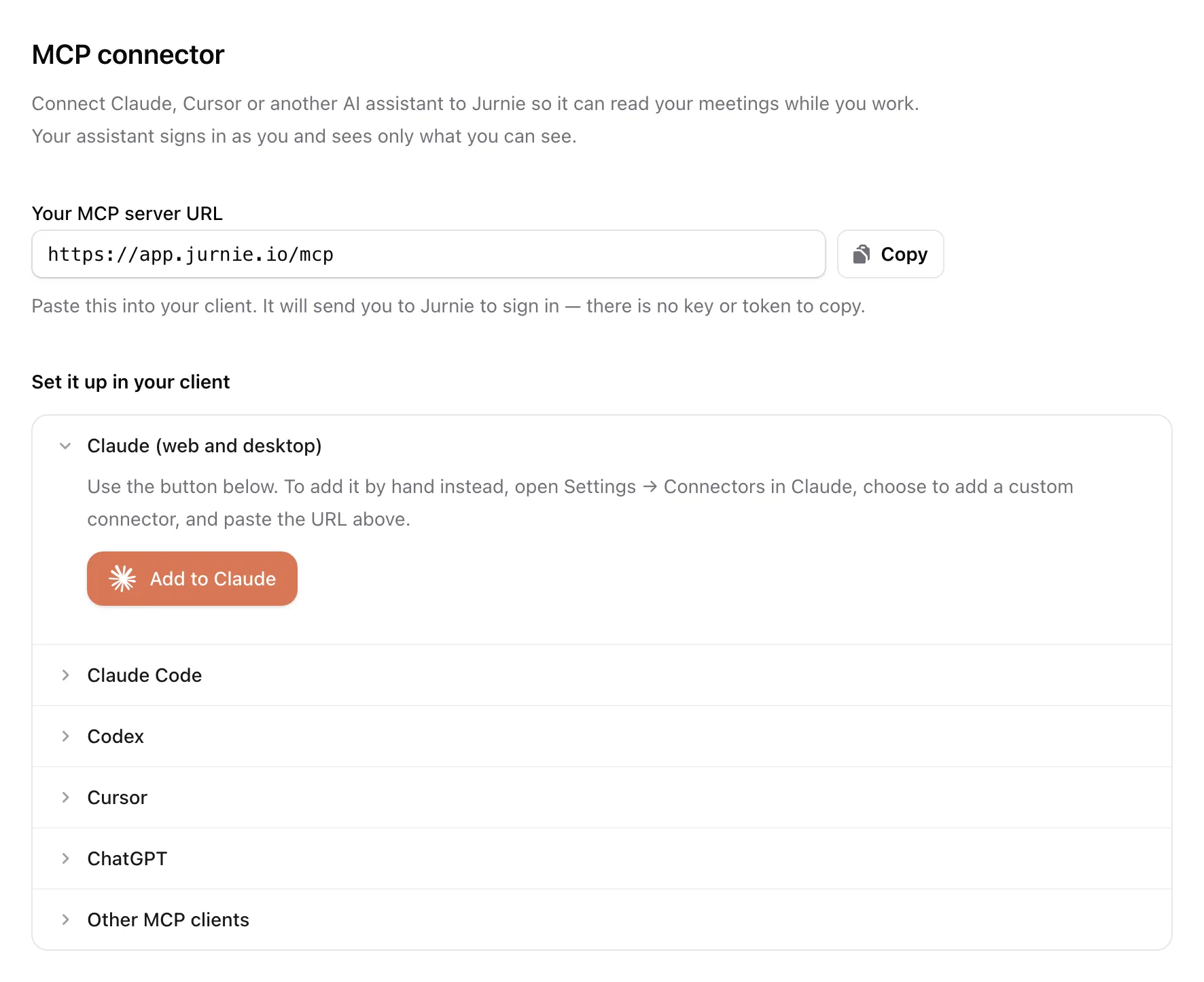
There's no key or token to copy. When you add the URL, your client sends you to Jurnie. On Connect to Jurnie, check the account you're signed in with and click Allow.
Claude (web and desktop)
Click Add to Claude. It opens Jurnie in Claude's connector directory. To add it by hand instead, open Settings → Connectors in Claude, add a custom connector and paste the URL.
Claude Code
Run this in your terminal, then run /mcp in Claude Code and sign in to Jurnie:
claude mcp add --transport http jurnie https://app.jurnie.io/mcp
Codex
Run this in your terminal. Codex opens a browser window for you to sign in. If it doesn't, run codex mcp login jurnie.
codex mcp add jurnie --url https://app.jurnie.io/mcp
Cursor
Open Settings → Tools & Integrations in Cursor, add a new MCP server and paste the URL. Cursor opens a browser window for you to sign in.
ChatGPT
Open Settings → Connectors in ChatGPT and add a custom connector with the URL. Custom connectors aren't available on every ChatGPT plan.
Other clients
Any client that supports remote MCP servers over HTTP works. Give it the URL and nothing else: it registers itself with Jurnie, then sends you to Jurnie to sign in.
Tip: To read your meetings from your own scripts instead, use an API key. See The Jurnie API.
Last updated October 3, 2026