No articles match “”.
Try fewer or different words.
Browse topics
Teach Jurnie your words
Add the names, products and terms your team uses, so Jurnie spells them right in every new meeting.
Your organization's vocabulary is a shared list of names, products and terms. Jurnie uses it whenever it transcribes a meeting, so those words are spelled right from the start. Everyone in your organization can add to it, and it applies to every new meeting in the organization.
To open it, click your name at the bottom of the sidebar, then Vocabulary. Admins can also reach it from Settings → Organization → Manage vocabulary.
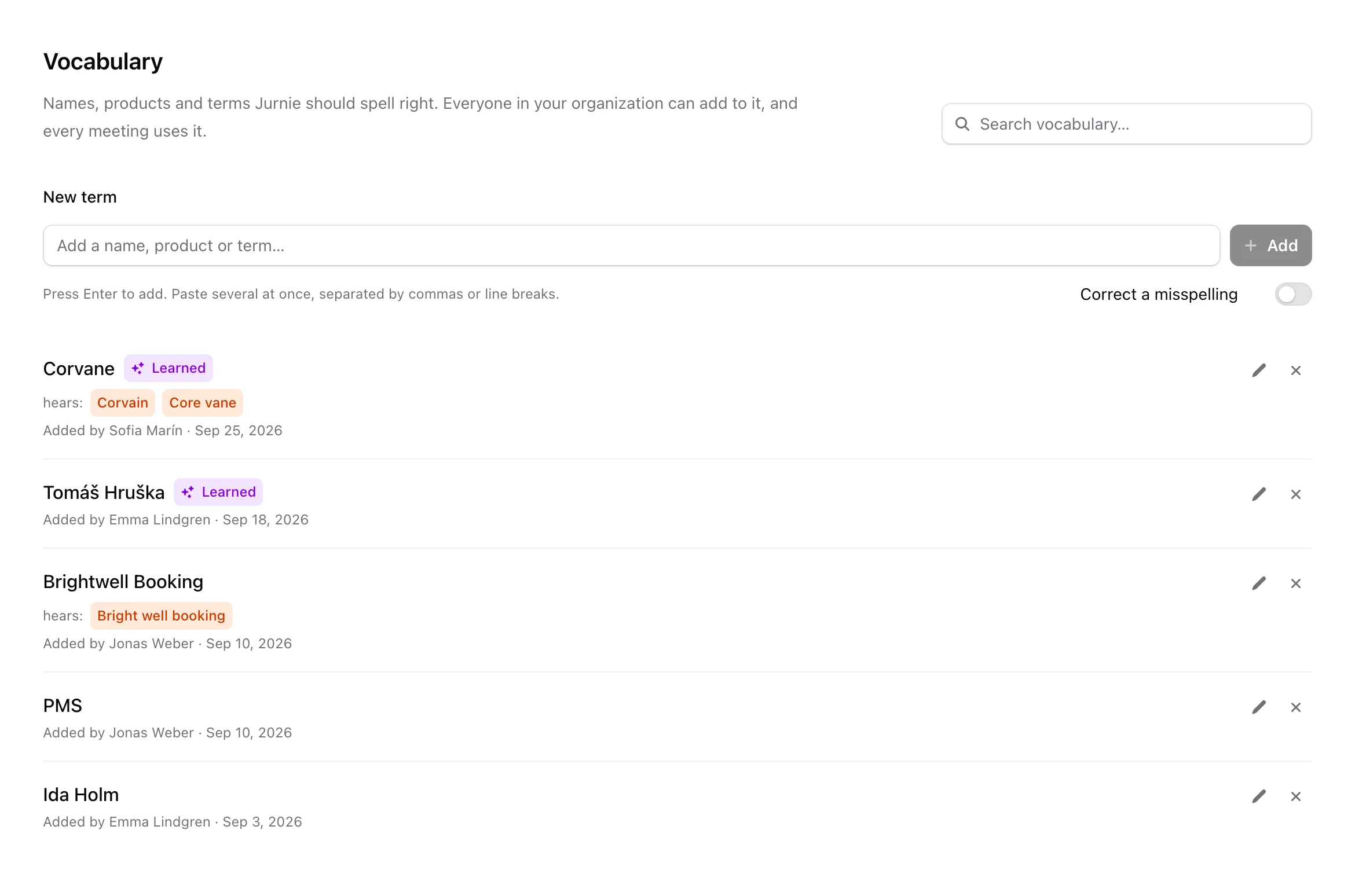
Add terms
- Type a word under New term.
- If Jurnie keeps writing it a particular wrong way, turn on Correct a misspelling and list those spellings under Jurnie hears it as, separated by commas.
- Press Enter or click Add.
To add several terms at once, paste them into New term separated by commas or line breaks, up to 200 at a time. They're added as soon as you paste, and terms that are already in the list are skipped.
Spellings under Jurnie hears it as are replaced with the right term in new transcripts. If one of them was a term of its own, Jurnie moves it into this term and tells you.
Edit or remove a term
Each term shows who added it and when. Click the pencil next to a term to change its spelling or the spellings Jurnie hears it as, or the cross to remove it. After removing a term, the notification offers Undo.
Learned terms
Terms marked Learned were added from a correction someone made: fixing a name with Add to vocabulary turned on, or renaming a person, company, project or topic in memory with Also teach Jurnie this spelling turned on. See Fix a misheard name and Rename, merge or correct what Jurnie remembers.
What it doesn't do
- It doesn't change past meetings. The vocabulary is used when a meeting is transcribed. To correct a meeting you already have, use Fix a misheard name.
- It has a limit. Jurnie uses the 1,000 most recently added terms. Older terms beyond that stay in the list but aren't used. If an older term stops being spelled right, remove it and add it again.
Note: Vocabulary isn't in the menu while your organization's subscription is inactive.
Last updated October 3, 2026