No articles match “”.
Try fewer or different words.
Browse topics
Fix a misheard name
Correct a name Jurnie spelled wrong, in one meeting or in all of them, and teach Jurnie the right spelling.
When Jurnie mishears a name, say "Ackme" for "Acme", you can correct it everywhere at once: the transcript, the summary, speaker names, and the matching person or company in Jurnie's memory. Jurnie can also learn the spelling, so future meetings get it right.
Fix a name
- Open the meeting's Summary tab and hover the misspelled name. Names Jurnie remembers are shown as links.
- In the card that appears, click Wrong spelling?.
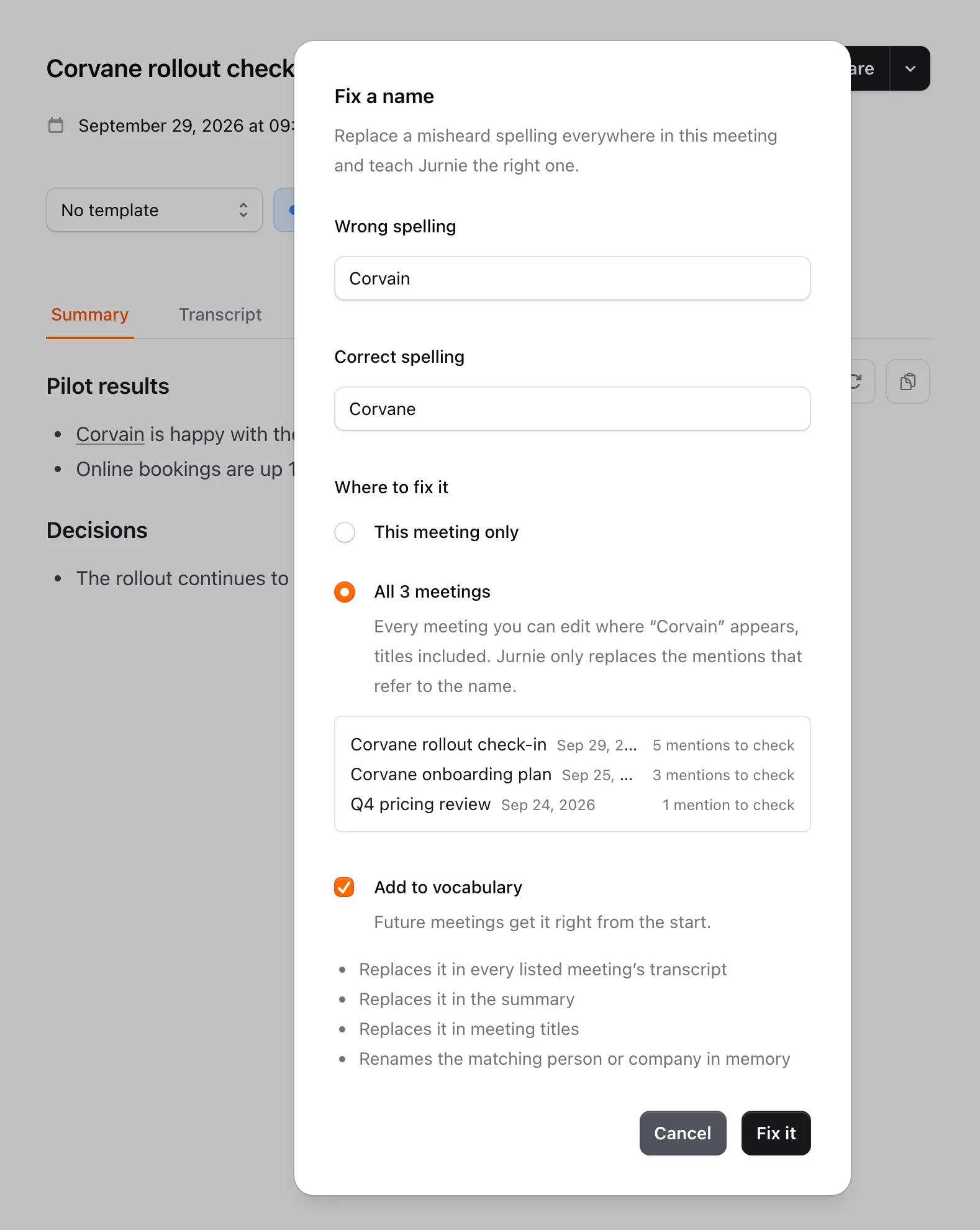
- The Fix a name dialog opens with the misheard spelling under Wrong spelling. Type the right one under Correct spelling.
- If the same spelling appears in other meetings you can edit, choose Where to fix it: This meeting only, or All 3 meetings (the number depends on where it appears). The second option lists each meeting and how many mentions Jurnie will check.
- Leave Add to vocabulary on, so future meetings get it right from the start.
- Click Fix it.
Jurnie makes the change in the background and shows its progress in a notification. When it's done, the notification says how many meetings changed and offers Undo for 10 seconds, which puts back every passage it changed.
What gets changed
- The transcript and the summary of each meeting you chose. Jurnie edits the summary's existing text; it doesn't write a new summary.
- Meeting titles.
- Speakers named with the wrong spelling.
- Memory: the matching person or company is renamed, and what Jurnie noted from these meetings is corrected.
Jurnie checks each mention and only replaces the ones that refer to the name. A word that happens to have the same spelling but is used in its everyday sense is left alone, and the notification tells you when that happened.
If memory already has a person or company with the correct name, the notification says so. Open the page of the one with the wrong spelling and rename it to the correct name: Jurnie then offers to merge the two. See Rename, merge or correct what Jurnie remembers.
When the name isn't a link
Wrong spelling? is offered only on names Jurnie shows as links in the summary, which needs memory to be on for your organization. See How Jurnie remembers.
For any other word, ask Jurnie in the meeting's Ask Jurnie panel, for example "Fix Ackme to Acme in this meeting", and approve the change. See Let Ask Jurnie make changes for you.
To prevent the mistake in future meetings without touching past ones, add the word to your vocabulary.
Note: Fixing names needs an active subscription. While your organization's subscription is inactive, Wrong spelling? isn't shown.
Last updated October 3, 2026