No articles match “”.
Try fewer or different words.
Browse topics
What Jurnie does
Jurnie captures your meetings, writes the transcript and summary, remembers what was said across all of them, and helps with the follow-up.
Jurnie is a meeting assistant. It captures your meetings, writes a transcript and a summary of each one, and keeps track of what was said about the people, companies and projects you meet about. You can then ask it questions, share what matters with your team, and let agents draft the follow-up.
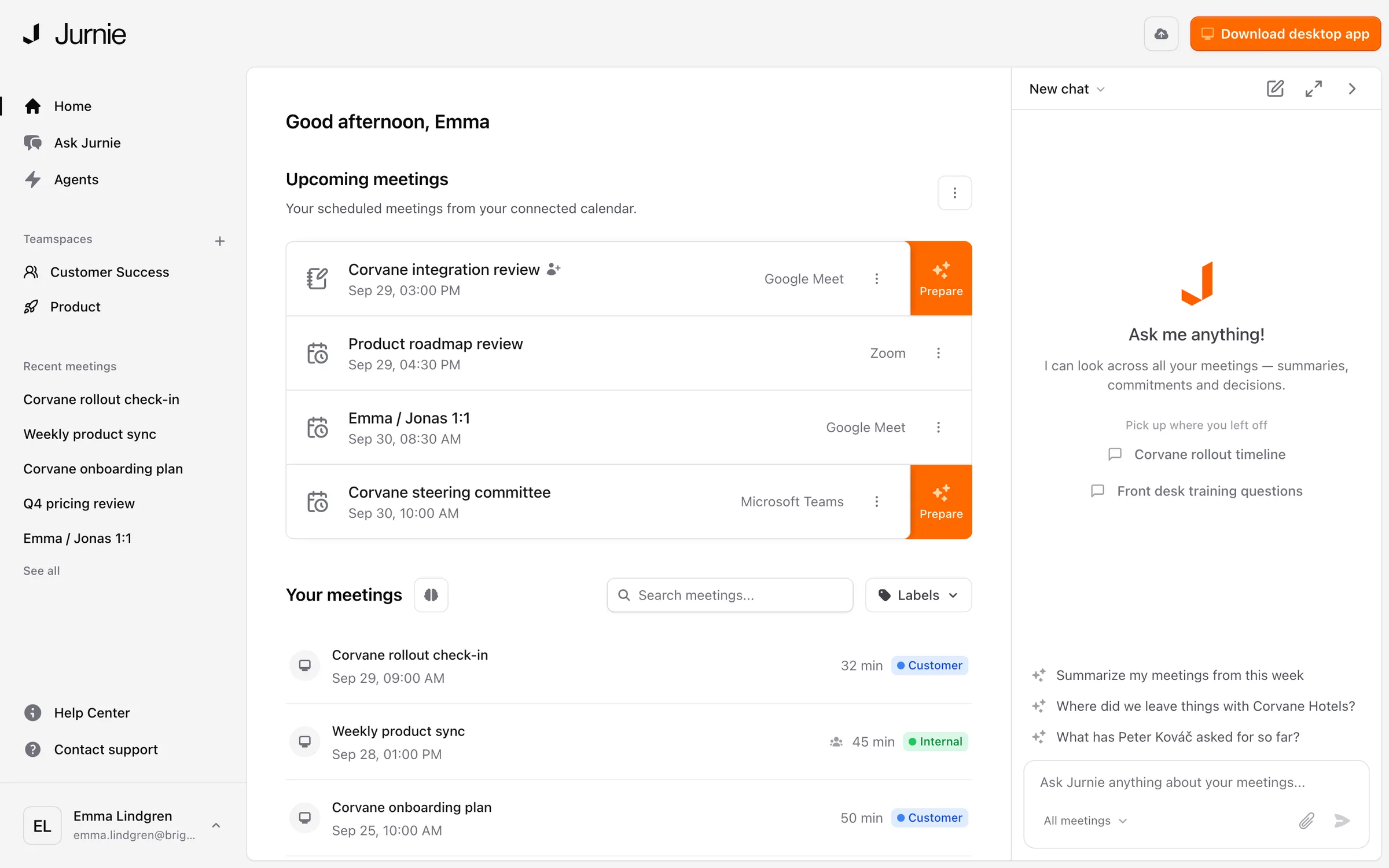
Capturing meetings
There are four ways to get a meeting into Jurnie:
- Desktop app for Mac and Windows. It captures online meetings from your computer's audio, so no bot joins the call. It works with any meeting app. See Install the desktop app.
- Mobile app for iPhone and Android. Use it for meetings in a room. See Jurnie on your phone.
- Jurnie's note taker, also called the Jurnie bot. It joins an online meeting from its link or from your calendar. See Invite Jurnie to a meeting.
- An audio file you already have. See Create a meeting from an audio file.
After each meeting
Jurnie writes a transcript that shows who said what, and a summary. The summary follows a template: you can set your own default and pick a different template for any meeting. See How summaries work and Summary templates.
Memory
Jurnie gives each person, company, project and topic that comes up in your meetings its own page, and adds to it after each meeting it comes up in. Names in a summary link to these pages. Before a meeting, it can show you where you left off with the people in it. See How Jurnie remembers. Admins can turn memory off for the organization.
Ask Jurnie
Ask questions in plain language, about one meeting or all of them, like "What did Corvane say about pricing?". Ask Jurnie answers from your meetings and links the meetings it used. See Ask Jurnie about your meetings.
Agents
An agent runs after the meetings that match a description you give it, and does the follow-up you ask for, such as drafting a follow-up email or adding notes to a deal in HubSpot. Anything that would change another tool waits for you to approve it, and you can edit it first. See Agents: follow-up after your meetings.
Sharing and other tools
- Share a meeting with colleagues, a teamspace or your whole organization. See Share a meeting.
- Connect tools your team already uses, such as HubSpot, Jira or Google Docs. See Connect Jurnie to your other tools.
- Read your meetings from Claude, ChatGPT and other AI tools through the MCP connector.
Where to use it
Jurnie runs in your browser at app.jurnie.ai, in the desktop app and in the mobile app. You sign in to all three with the same account. To get started, see Set up Jurnie.
Last updated October 3, 2026